2.1. Contour
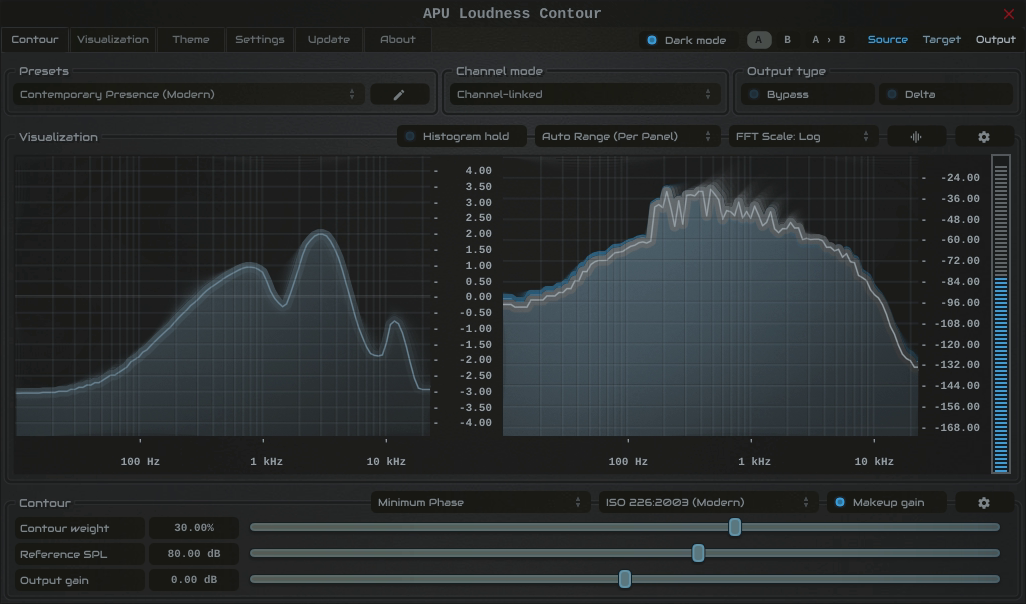
The contour tab contains configuration and visualization for loudness contours. This section details each of the individual parameters and components.
To ensure Contour’s perceptual modeling is accurate for your specific environment, a simple calibration process aligns the plugin with the true Sound Pressure Level at your listening position.
The process is straightforward. First, place an SPL meter at your listening spot, using a C-weighted, slow response setting. In the plugin, click the “Calibrate SPL …” button to play a band-limited pink noise signal (a 1 kHz sine wave option is also available). Now, simply adjust your speaker volume and/or the reference SPL parameter until the reading on your external SPL meter matches the reference level set within TrueGain (for example, 83 dB SPL).
For convenience, you can also toggle through standard reference levels using the drop-down next to the reference SPL parameter.
Once calibrated, all of the plugin’s loudness simulations and compensations are precisely matched to your physical listening environment.
The calibration button is only visible for SPL-dependent loudness contour types (ISO-226:2003, ISO-226:2023, Fletcher-Munson).