
6.1. Finding a Next Gem
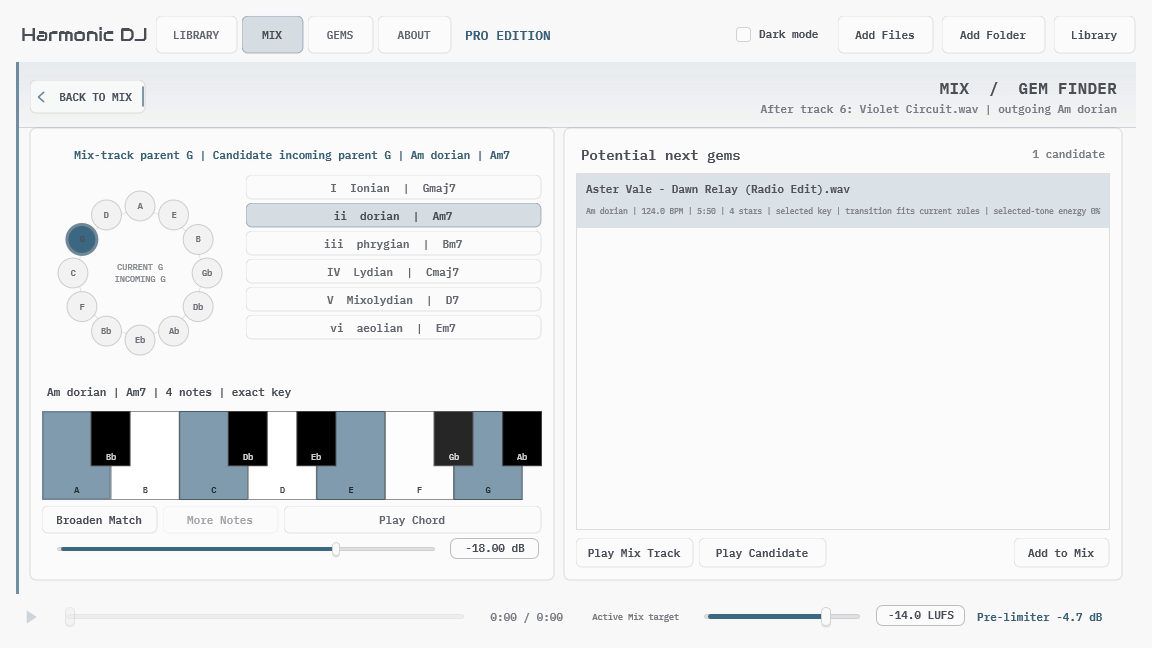
Select a Mix track and choose Find Next Gem from its context menu. The same action appears after the final track, where it naturally means “find something that could follow this.” Gem Finder requires Pro and a usable outgoing key for the selected track.
The circle of fifths marks the Mix track’s outgoing parent key separately from the incoming parent key you are exploring. Choose an incoming parent key and one of the six supported modes to define an exact modal key. The piano shows the tonic seventh chord associated with that selection.
Play Chord sustains those pitches while you alternate between the Mix track and candidate tracks. The chord is a harmonic probe: it helps teach the selected color without pretending that Harmonic DJ knows the correct cue point, phrase alignment, or transition treatment.